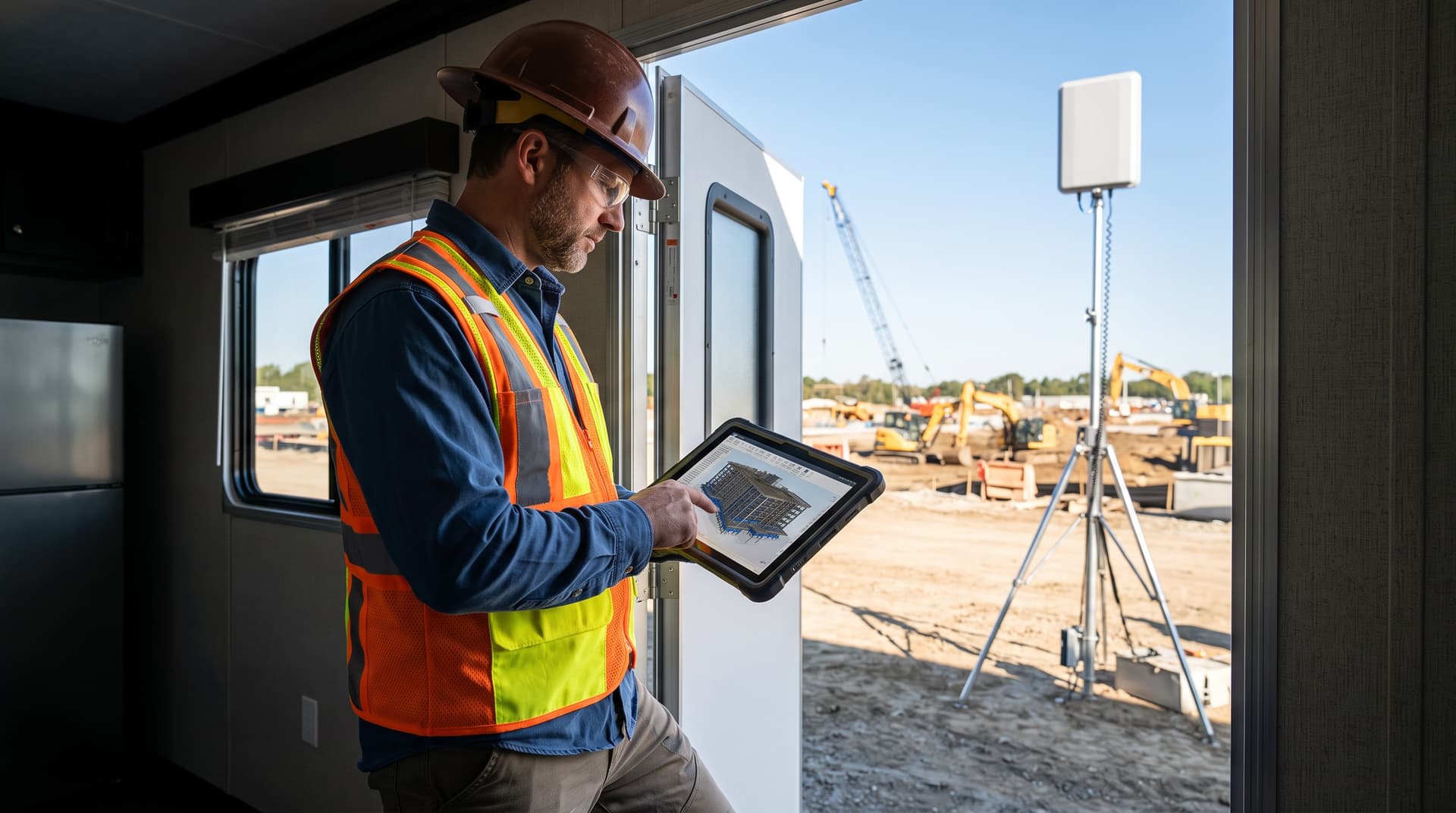
Building a Resilient Jobsite Tech Stack: MDM, BIM Access, and Rugged Field Connectivity
Every construction project manager knows the frustration of a stalled jobsite trailer. When field superintendents cannot access updated structural drawings, or trade contractors work from outdated PDF revisions stored locally on an unmanaged iPad, project timelines drift and costly rework escalates. Modern jobsite IT is no longer just about dropping a consumer Wi-Fi hotspot into a temporary trailer; it requires an integrated infrastructure strategy designed for dusty environments, transient connectivity, massive 3D Building Information Modeling (BIM) files, and hardened mobile devices.
For construction project managers (PMs) and engineering firm IT coordinators, bridging the gap between cloud-hosted collaboration platforms like Microsoft SharePoint or Autodesk Construction Cloud and the physical jobsite is a primary operational challenge. This guide examines how to deploy ruggedized site networks, streamline BIM and SharePoint synchronization over limited bandwidth, and implement field-tailored Mobile Device Management (MDM) to keep jobsite crews productive, secure, and aligned.
1. Architecting Rugged Jobsite Connectivity
Active construction sites are chaotic network environments. Heavy machinery creates line-of-sight obstructions, concrete slab pours block RF signals, and utility hookups are rarely available during early site enablement phases. Relying on consumer-grade LTE dongles or basic cellular MiFi devices leads to dropped sync sessions, unauthenticated connections, and bandwidth starvation when multiple trade leads attempt to pull multi-gigabyte files simultaneously.
To establish reliable jobsite connectivity, IT teams must deploy industrial-grade, ruggedized hardware designed for extreme temperatures, dust, vibration, and fluctuating power sources.
Core Components of a Field-Ready Network Architecture
-
Rugged Dual-SIM / Multi-WAN Cellular Routers
Deploy enterprise-grade mobile routers (housed in NEMA-rated weather-proof enclosures) equipped with dual cellular modems and multi-carrier SIM cards (e.g., AT&T and Verizon). Carrier auto-failover ensures that if one network degrades under local tower congestion, the site connection seamlessly transitions without dropping active SSH sessions or file transfers. -
Satellite Backhaul Integration (LEO)
For remote civil, highway, or greenfield developments where cellular coverage is weak or non-existent, integrating Low Earth Orbit (LEO) satellite links as a primary or secondary WAN interface provides high-throughput, low-latency connectivity from day one. -
High-Gain Directional & Omnidirectional Antennas
Mounting external high-gain antennas atop jobsite trailers or temporary lighting masts significantly boosts signal-to-noise ratios (SINR), turning weak fringe cellular signals into usable, high-speed connections. -
Jobsite Mesh Wi-Fi Access Points
Deploy Power-over-Ethernet (PoE) outdoor Wi-Fi access points across the active work zones. Utilizing ruggedized mesh nodes allows superintendents to navigate the structure while maintaining uninterrupted Wi-Fi coverage on their tablets and mobile devices. -
Local Edge Compute and Storage (Jobsite Cache)
Installing a compact, solid-state NAS or edge device inside the site trailer provides a local staging ground for heavy BIM files, drone surveys, and high-resolution site photography, drastically reducing redundant WAN pulls.
Takeaway: Never rely on single-carrier consumer hotspots for commercial jobsites. Combine dual-carrier LTE/5G routers with local edge caching to keep field teams operating even when WAN connectivity fluctuates.
2. Streamlining SharePoint and BIM File Access in Low-Bandwidth Zones
Navigating Navisworks models, Revit files, and large PDF drawing packages over field connections can cripple productivity if architectural files must be fetched fresh from cloud repositories over a 10 Mbps connection. Construction IT teams must optimize how data flows between corporate Microsoft 365 environments, SharePoint Online, project management suites, and field devices.
Resolving the Large File Bottleneck
Standard SharePoint synchronization via OneDrive for Business can easily consume available jobsite upload/download bandwidth if left unconfigured. When ten field engineers attempt to sync multi-gigabyte document libraries in real time, background sync processes saturate the network connection.
To mitigate this, IT coordinators should implement the following bandwidth optimization practices:
- Differential and Selective Sync Policies: Configure Microsoft OneDrive and SharePoint sync clients to use Differential Sync, which transfers only the modified binary blocks of files rather than re-downloading entire 500 MB CAD models. Enforce Files On-Demand via Group Policy or Intune so files are only fetched when explicitly opened by the user.
- Optimized BIM Viewing Pipelines: Require field crews to view complex 3D models using lightweight web or mobile viewers (such as Autodesk Viewer or BIM 360 mobile) that render model geometry via lightweight streamed formats rather than forcing full model downloads to local tablet storage.
- On-Site SharePoint Local Caching: Implement local branch caching or sync gateways in trailer servers. High-frequency assets, daily site logs, and active submittal packages can be pre-staged during off-peak hours (e.g., midnight sync windows), ensuring field crews access drawings at gigabit local network speeds during peak day shifts.
- Bandwidth Throttling and QoS Prioritization: Enforce Quality of Service (QoS) rules at the jobsite router level. Prioritize real-time voice communications, safety reporting apps, and BIM model sync protocols over background software updates or non-critical video streaming.
SharePoint Structure for Jobsite Governance
Structuring your SharePoint site taxonomy effectively prevents sync clutter and permission creep on the jobsite:
| Layer | Purpose | Sync Strategy |
|---|---|---|
| 01 - Approved Issued for Construction (IFC) | Final, stamped drawings and submittals for field execution. | Set to mandatory local offline sync on field lead devices. |
| 02 - Work-in-Progress (WIP) Models | Active CAD / Revit working files for design coordination. | Cloud-only viewing / restricted from automatic bulk tablet sync. |
| 03 - Daily Logs & Field Reports | Safety inspection forms, RFIs, and daily progress photos. | Lightweight mobile app upload via structured SharePoint Lists. |
| 04 - As-Built Archive | High-resolution drone photogrammetry and point clouds. | Local edge NAS storage; scheduled off-peak cloud backup. |
3. Mobile Device Management (MDM) for Construction Crews
Deploying hundreds of tablets and smartphones across active jobsites introduces significant device management, security, and hardware durability risks. Devices get dropped in dust pits, left in hot trucks, or misplaced by subcontractors. Without centralized endpoint control, unmanaged devices create severe security vulnerabilities and administrative overhead.
Hardening Mobile Endpoints for Field Use
An effective construction MDM strategy balances field usability with strict corporate compliance. IT coordinators using platforms like Microsoft Intune or Jamf can enforce field-practical policies:
-
Single-App or Multi-App Kiosk Mode
For shared tablet pools used by trade contractors or safety inspectors, lock devices into dedicated Kiosk Mode. This limits device access strictly to approved applications—such as Procore, PlanGrid, Microsoft Teams, and field inspection tools—preventing unauthorized app downloads, web browsing, or setting modifications. -
Automated Provisioning via Zero-Touch Enrollment
Utilize Apple Business Manager (ABM) or Android Zero-Touch Enrollment paired with your MDM solution. When a new ruggedized tablet is unboxed on site and turned on, it automatically downloads corporate configurations, security policies, VPN profiles, and required applications without requiring manual IT staging. -
Geofencing and Dynamic Access Policies
Enforce location-based access controls. Restrict sensitive project file access or require multi-factor authentication (MFA) step-ups when devices leave designated jobsite geofences or attempt access from untrusted networks. -
Rugged Hardware Management and Battery Health Monitoring
Track hardware metrics across the fleet. MDM telemetry should monitor battery cycle degradation, extreme temperature flags, storage capacity, and OS patch status to proactively replace failing hardware before it disrupts field operations. -
Remote Wipe and Loss Prevention Capabilities
In the event a tablet is lost or stolen on a jobsite, administrators must be able to instantly trigger a selective wipe (removing corporate M365 and SharePoint data while preserving personal data on BYOD devices) or a full device wipe for corporate-owned hardware.
Takeaway: Standardizing on zero-touch MDM enrollment and single-app/multi-app kiosk profiles eliminates staging delays and protects sensitive IP when field tablets inevitably go missing.
4. Operational Checklist for Jobsite IT Deployment
Before mobilizing a new construction jobsite trailer or field engineering station, IT coordinators and project managers should run through this quick operational checklist to verify connectivity, device readiness, and data governance.
- [ ] Network Infrastructure: Verify dual-SIM cellular router signals with high-gain outdoor antennas. Test automated carrier failover.
- [ ] Edge Caching: Confirm local storage appliance is deployed and synced with active SharePoint project libraries.
- [ ] Bandwidth Rules: Apply QoS traffic rules prioritizing BIM sync and voice traffic while blocking non-essential video streams.
- [ ] MDM Provisioning: Enroll all field tablets into automated zero-touch profiles with pre-loaded construction applications.
- [ ] SharePoint Permissions: Verify that field workers have read-only or scoped edit rights on "Issued for Construction" folders.
- [ ] Security Baseline: Check Microsoft 365 tenant security standards using the Bitscaled Microsoft 365 Security Snapshot to identify vulnerabilities before opening remote access.
- [ ] Support Routing: Provide clear jobsite IT support contact protocols linked directly to your central managed IT service desk.
Standardize Jobsite Connectivity with Bitscaled
Deploying dependable jobsite networks, managing heavy BIM files, and securing field mobile devices doesn't have to burden your project managers or internal IT team. At Bitscaled, we specialize in field-first IT solutions engineered specifically for general contractors, specialty trades, and engineering firms.
From enterprise-grade cellular trailer kits and tailored SharePoint architecture to zero-touch MDM management, Bitscaled ensures your field teams remain connected, compliant, and focused on building.
Explore how our specialized Construction IT Services and Managed IT Solutions can streamline your jobsite operations. Ready to eliminate jobsite downtime? Contact the Bitscaled engineering team today to standardize jobsite connectivity across all active projects.