Orderly Cloud Migration for Growing SMBs: Technical Sequencing and Hybrid Failback Strategy
Transitioning small and mid-sized business (SMB) operations to the cloud is rarely a single, drop-in event. Instead, modernizing IT infrastructure requires a deliberate sequence of changes that respects foundational dependencies, maintains user productivity, and guarantees operational continuity. When organizations attempt to move complex line-of-business applications before establishing unified identity controls or baseline governance, the result is often severe downtime, duplicated user credentials, and security exposure.
At Bitscaled Cloud Infrastructure Services, we frequently observe organizations rushing workloads into cloud platforms like Microsoft 365 and Microsoft Azure without a technical roadmap. This article outlines the recommended five-stage sequencing model for SMB cloud migrations, details three common hybrid operational pitfalls, and provides a framework for rollback readiness.
The 5-Phase SMB Migration Dependency Sequence
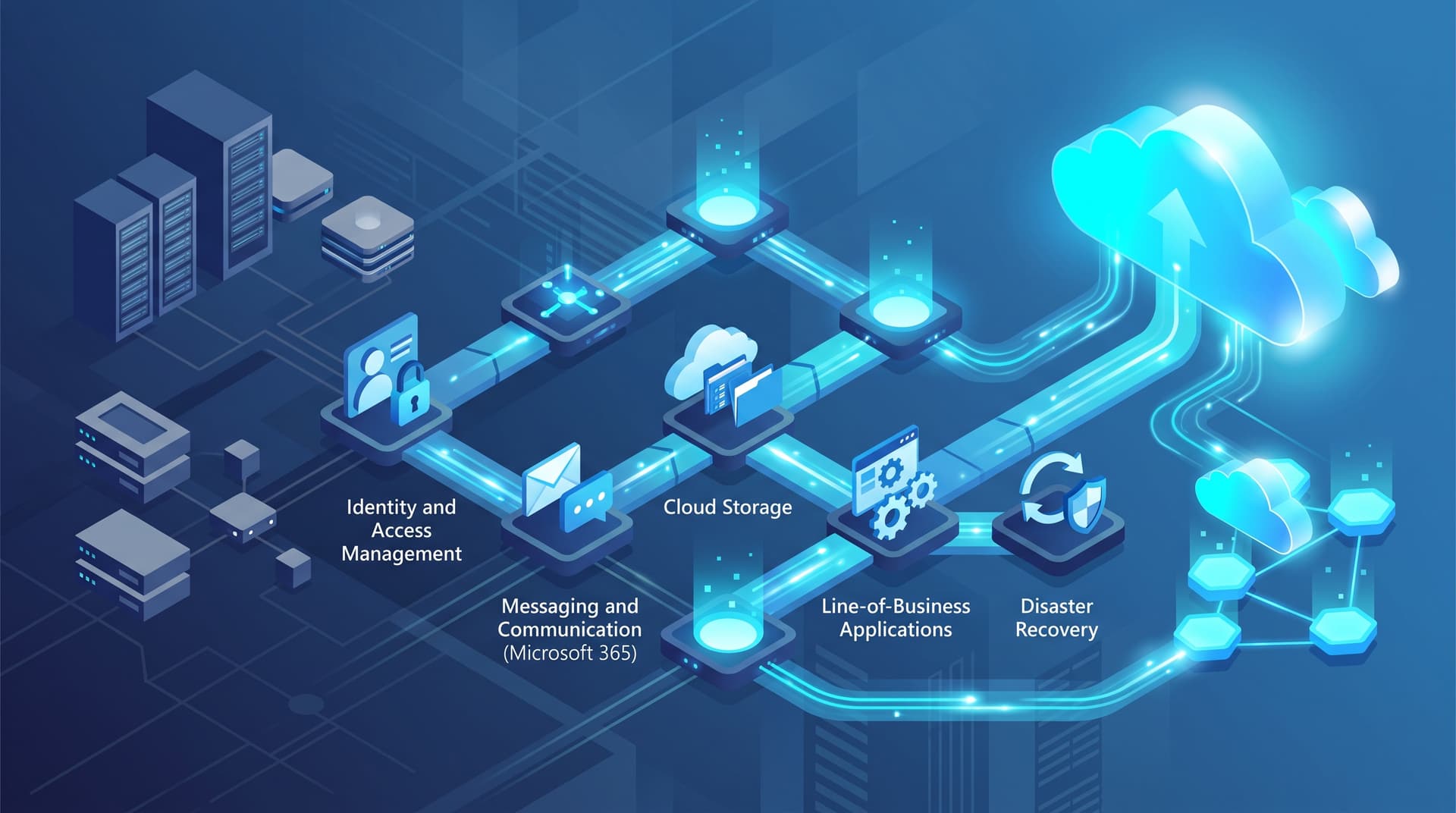
Successful infrastructure migrations follow a strict hierarchy of technical prerequisites. Each stage builds upon the security, directory, and network foundations established in prior phases.
Phase 1: Identity & Access Management (Microsoft Entra ID / MFA)
       │
       ▼
Phase 2: Messaging & Communications (Exchange Online / Teams)
       │
       ▼
Phase 3: File Services & Content Migration (SharePoint / OneDrive)
       │
       ▼
Phase 4: Line-of-Business Applications (Azure IaaS/PaaS / Web Apps)
       │
       ▼
Phase 5: Disaster Recovery & Long-Term Governance (Azure Site Recovery)
1. Identity and Access Management
Before migrating mailboxes or data, your central directory must be normalized. Synchronizing on-premises Active Directory with Microsoft Entra ID (formerly Azure AD) establishes a single source of truth for user accounts, groups, and security policies.
- Key Deliverables: Entra Connect synchronization, Multi-Factor Authentication (MFA) enforcement, and Conditional Access policies.
- Prerequisites: On-premises Active Directory cleanup, UPN (User Principal Name) alignment with routable public domain names, and stale account purge.
2. Messaging and Communications
Email represents the core communication medium and primary authentication workflow vector (e.g., password resets) for modern businesses. Moving mailboxes to Exchange Online tests identity integration with minimal risk to core application databases.
- Key Deliverables: Exchange Hybrid configuration, MX record cutover, Autodiscover re-pointing, and desktop client profile reconfiguration.
- Prerequisites: Validated identity sync, SPF/DKIM/DMARC DNS record staging, and bandwidth assessment for mailbox seeding.
3. File Services and Unstructured Data
Legacy on-premises file servers contain years of structured and unstructured file shares. Migrating these repositories to SharePoint Online, OneDrive for Business, or Azure Files requires restructuring permission models to match modern cloud security practices.
- Key Deliverables: Document library creation, folder mapping, data migration via specialized migration tools, and legacy file server deprecation.
- Prerequisites: File path length audits, NTFS permission mapping to Entra groups, and deduplication.
4. Line-of-Business (LOB) Applications
Core business software—such as custom ERP systems, specialized accounting databases, or CRM platforms—often relies on legacy database connections, local Active Directory authentication, or persistent desktop client setups. Moving these workloads requires dedicated Azure virtual machines, Azure SQL instances, or private app services.
- Key Deliverables: Azure Virtual Network (VNet) topology, Site-to-Site VPN or ExpressRoute connections, application server migration, and user acceptance testing (UAT).
- Prerequisites: Fully stabilized cloud identity, network routing, latency testing, and operational database backups.
5. Disaster Recovery and Continuous Governance
Once core services reside in the cloud or across a hybrid estate, organizations must implement disaster recovery (DR) and continuous policy governance. Cloud environments require proactive snapshot schedules, automated backups, and cross-region replication.
- Key Deliverables: Azure Site Recovery (ASR) replication, cloud-to-cloud backup policies, compliance logging, and license optimization.
- Prerequisites: Operational production environment, defined Recovery Time Objectives (RTO), and Recovery Point Objectives (RPO).
Illustrative Migration Roadmap & Dependency Matrix
The following table illustrates a typical 12-week implementation timeline and risk rating across the five migration phases for an SMB with 50 to 250 endpoints:
| Migration Phase | Primary Target Target | Key Prerequisites | Operational Risk Level | Typical Timeline |
|---|---|---|---|---|
| Phase 1: Identity | Microsoft Entra ID / Directory Sync | On-Premises AD Hygiene & UPN Matching | Low / Foundational | Weeks 1–2 |
| Phase 2: Messaging | Exchange Online & Microsoft Teams | Entra ID Active, SPF/DKIM Prepared | Medium | Weeks 3–4 |
| Phase 3: File Services | SharePoint Online & Azure Files | NTFS Group Mapping & Path Length Audit | Medium | Weeks 5–7 |
| Phase 4: LOB Applications | Azure VMs, Azure SQL & App Services | Azure VNet Staged, Site-to-Site VPN Active | High | Weeks 8–10 |
| Phase 5: Disaster Recovery | Azure Site Recovery & Cloud Backup | Production Cloud Services Finalized | Low / Maintenance | Weeks 11–12 |
Note: Timelines and risk levels are illustrative heuristics tailored to standard SMB IT capabilities.
Three Common Hybrid Operational Pitfalls
Even with a clear roadmap, technical teams encounter specific failure modes during hybrid operations. Addressing these issues before execution prevents critical outages and security vulnerabilities.
Pitfall 1: Stale Active Directory Sync Errors
During hybrid operation, local Active Directory remains the authoritative directory source for synchronized accounts. If local objects contain missing attributes, duplicate UPNs, or corrupt security identifiers (SIDs), Entra Connect will fail to sync silently or raise delta errors.
- Impact: Password updates fail to propagate, modern authentication blocks legitimate users, and newly created security groups do not populate in Microsoft 365.
- Remediation: Before initial sync, run directory hygiene scripts to eliminate orphaned accounts and fix attribute mismatches. Implement automated alerts for Entra Connect synchronization failures using Bitscaled Managed Infrastructure Monitoring.
Pitfall 2: Overshared Microsoft 365 Permissions
When migrating local file shares directly into SharePoint Online or OneDrive, legacy broad file permissions (such as "Everyone" or "Domain Users") often translate into expansive cloud sharing settings. Without proper tenant controls, sensitive financial and operational documents become searchable across the entire enterprise or accessible externally via unexpiring sharing links.
- Impact: Data leakage, non-compliance with industry data privacy mandates, and exposed intellectual property.
- Remediation: Enforce restrictive default tenant sharing policies prior to data ingest. Run an automated security review using the Bitscaled Microsoft 365 Security Snapshot to identify oversharing risks before moving production shares.
Pitfall 3: Undocumented DNS Cutovers and Low TTL Omissions
DNS is the operational glue of cloud transitions. During email cutovers and LOB application domain updates, teams often forget to lower Time-To-Live (TTL) values ahead of time or omit key internal DNS re-pointing.
- Impact: Public recursive DNS servers cache stale IP addresses for up to 48 hours after cutover, causing incoming emails to bounce and users to hit decommissioned local servers.
- Remediation: Reduce DNS record TTLs to 300 seconds (5 minutes) at least 72 hours prior to cutover windows. Test external record resolution using the Bitscaled DNS & SSL Health Tool to verify record propagation prior to maintenance windows.
Risk Control & Rollback Readiness Framework
Every cloud cutover plan must include explicit rollback triggers and operational failback procedures. Never declare a cutover complete without validating functional outcomes against success criteria.
Takeaway: A cutover window is only as safe as its rollback trigger. Define precise time-based and objective criteria for aborting a migration phase before making non-reversible technical changes.
Pre-Cutover Verification Checklist
- Full Backup Validation: Ensure immutable local backups and state system snapshots exist for all source servers.
- DNS TTL Verification: Confirm public and private DNS TTLs are reduced.
- Coexistence Mode Operational: Verify that hybrid mail routing and directory sync are operating without error flags.
- Rollback Trigger Definition: Establish an explicit abort deadline (e.g., "If core application verification fails by 04:00 AM, initiate failback").
Executing Controlled Rollbacks
If critical LOB database syncs fail or user authentication breaks during the cutover window:
- Reverse DNS Routing: Restore original DNS records pointing to the on-premises host immediately.
- Revert MX/Autodiscover Records: Point MX records back to the local Exchange server or email security gateway.
- Re-enable On-Premises Services: Unpause local service daemons and enable local Active Directory authentication.
- Post-Mortem Log Collection: Capture synchronization error logs and network capture files before re-attempting the migration.
Streamline Your Cloud Transition with Bitscaled
Migrating critical infrastructure to cloud and hybrid environments requires precise dependency management, security controls, and hands-on execution experience. Bitscaled helps growing businesses design, sequence, and manage low-risk cloud transitions that protect operational integrity.
Schedule a cloud readiness review with Bitscaled before your next migration phase by visiting Bitscaled Cloud Infrastructure Services or contacting our architecture team directly at Bitscaled Contact.