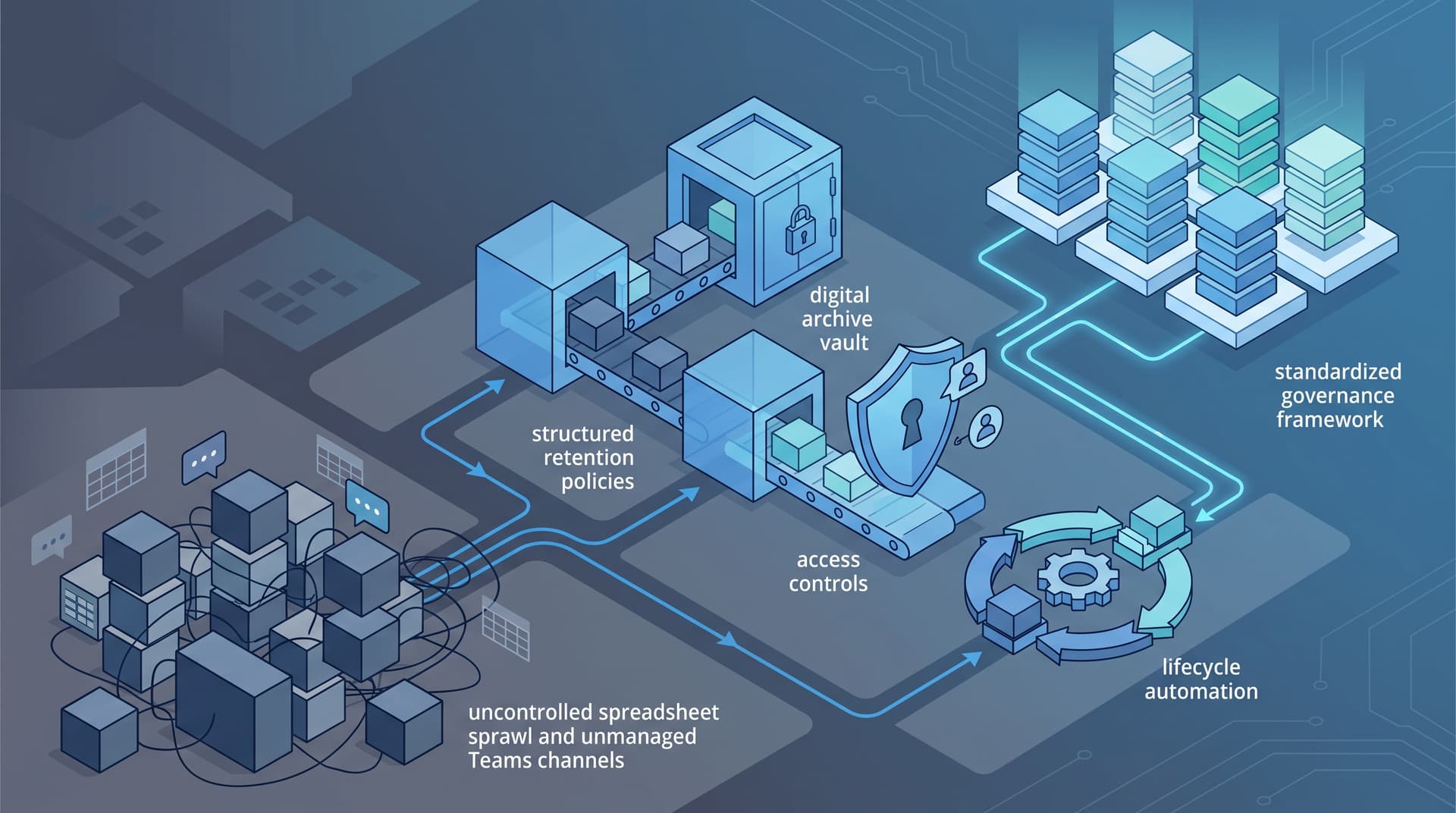
Unclogging the Information Pipeline: Data Retention, Sprawl Control, and Governance for Ops Teams
In high-growth organizations, operational velocity often leaves behind an unseen residue: thousands of unindexed spreadsheets, orphaned Microsoft Teams channels, redundant file shares, and forgotten cloud exports. What begins as a temporary workaround—a ad-hoc workbook exported to perform a quick end-of-month reconciliation—frequently hardens into permanent infrastructure.
For finance and operations leaders, this digital accumulation carries a heavy operational tax. Unstructured data sprawl bloats cloud backup budgets, complicates discovery during regulatory audits, increases the blast radius of potential security incidents, and degrades decision-making quality due to version confusion. Taming this sprawl does not require halting business workflows or imposing rigid, bureaucratic administrative hurdles. Instead, operational excellence relies on systematic data management: establishing clear retention lifecycles, governing access controls, curbing workspace sprawl, and right-sizing backup scopes.
Rethinking Retention: Moving Beyond "Keep Everything Forever"
Historically, the path of least resistance for data storage was simple: retain everything indefinitely. Disk space seemed cheap, and the effort required to curate files outweighed the perceived storage cost. However, infinite retention introduces compounding liabilities. Old operational data containing sensitive customer identifiers, payroll details, or obsolete vendor terms becomes an unmonitored liability during security events or discovery requests.
Effective records retention requires categorizing information based on business utility, legal necessity, and sensitivity. Rather than relying on staff to manually delete old files, modern governance uses automated retention labels tied to location and file metadata.
Illustrative Data Retention Classification Matrix
| Data Category | Example Assets | Recommended Retention Trigger | Disposal or Archival Action | Primary Risk Addressed |
|---|---|---|---|---|
| Operational State Data | Daily dispatch logs, inventory scrap notes | 90 days post-activity | Automated permanent purge | Backup storage bloat and clutter |
| Financial Transactions | General ledger exports, invoice receipts, AP records | 7 years from tax year end | Archival to immutable cold storage | Regulatory non-compliance |
| Ad-Hoc Working Files | Temp financial models (v1_final_v2.xlsx) |
30 days inactivity | Automated soft-delete | Version confusion and audit friction |
| Personnel & Payroll | Commission worksheets, contractor agreements | 7 years post-termination | Restricted access archive then purge | Privacy non-compliance (e.g., state laws) |
| Strategic Artifacts | Annual operating plans, board decks | Permanent | Read-only governance library | Loss of institutional history |
Takeaway: Retention rules must operate automatically in the background. Expecting employees to perform manual file cleanup guarantees incomplete compliance and inconsistent enforcement.
Controlling Access & Sensitivity in Everyday Workflows
Spreadsheet sprawl is closely tied to over-permissioning. When team members cannot find or access necessary data quickly, they bypass official tools—exporting CSV files, downloading local copies, or sharing unrestricted links across internal chat applications. Over time, financial workbooks containing sensitive margin data or employee salary details reside in open SharePoint libraries accessible by the entire company.
To correct access imbalances without stalling daily business operations:
- Implement Automated Sensitivity Labels: Configure tools like Microsoft Purview to automatically flag files containing credit card numbers, tax identifiers, or specific keyword patterns. Apply automatic encryption or restricted sharing rules based on those tags.
- Eliminate "Anyone with the Link" Access: Set organizational sharing defaults to require explicit user authentication. Configure internal links to expire automatically after 30 to 90 days.
- Conduct Periodic Entitlement Reviews: Department heads should review group memberships and folder permissions quarterly. Pay special attention to external guest accounts granted access during past projects.
By restricting access to a strict need-to-know basis, operations leaders significantly restrict the lateral movement of unauthorized users or compromise vectors across internal networks.
Containing SharePoint and Teams Sprawl
Microsoft Teams and SharePoint enable seamless collaboration, but without administrative guardrails, they quickly generate digital friction. It is common for mid-sized organizations to accumulate hundreds of inactive channels, abandoned project sites, and duplicate file repositories.
When employees search for an authoritative document, search results often return five distinct versions stored across three different Teams channels. To restore order to collaborative workspaces, consider implementing structured governance controls:
Operational Workspace Governance Checklist
- Standardize Provisioning Templates: Disable open, unmonitored team creation. Require new teams and SharePoint sites to be created via approved templates that automatically include ownership standards, sensitivity default labels, and pre-configured channel structures.
- Enforce Inactivity Expiration Policies: Automatically flag Teams and SharePoint sites that show no user activity for 90 to 180 days. Send automated renewal prompts to owners; if unanswered, archive the site automatically.
- Designate Dual Ownership: Mandate that every workspace has at least two active internal owners to prevent orphaned sites when staff members transition out of the organization.
- Separate Active Workspaces from Document Archives: Train teams to treat collaboration channels as temporary working spaces, moving finalized deliverables to centralized, read-only document libraries.
Implementing these guardrails cleans up workspace search results, cuts down on wasted time spent hunting for current templates, and keeps active collaboration channels focused on active projects.
Aligning Backup Scope with Data Lifecycle
Backup and business continuity strategies are directly impacted by data hygiene. A common mistake in backup administration is treating all data equally—backing up temporary working files, cache drives, and uncurated file shares with the same frequency and depth as critical financial databases.
Including ephemeral workspace clutter in high-frequency backup routines increases storage costs, extends backup windows, and slows down system recovery during incident restoration. A disciplined data hygiene program aligns backup policies directly with data classification:
- Tier 1: Core Systems of Record: ERPs, transactional accounting databases, and master customer records require continuous or hourly backups, point-in-time recovery, and immutable storage protection.
- Tier 2: Primary Operational Collaboration: Active SharePoint sites, department repositories, and core email systems require daily backups with standard retention periods.
- Tier 3: Ephemeral Scratchpads & Temp Workflows: Scratch drives, temporary download folders, and staging environments should be excluded from long-term backup sets entirely.
By scoping backup environments intentionally, organizations reduce overall cloud infrastructure spend while accelerating recovery time objectives (RTO) for mission-critical services.
Strengthening Insurance and Compliance Posture
Data management is no longer strictly an internal IT efficiency discussion; it is a core factor in risk management, cyber insurance underwriting, and regulatory compliance.
When evaluating risk, cyber insurance carriers look closely at an organization's internal controls over sensitive information. Underwriters routinely evaluate whether an enterprise tracks data locations, enforces access controls, limits guest sharing, and disposes of obsolete records safely. Organizations that demonstrate disciplined retention policies and restricted access environments present a lower risk profile during coverage renewals.
Similarly, compliance frameworks (such as SOC 2, ISO 27001, and industry-specific privacy mandates) mandate strict governance over data handling, storage limits, and access auditing. Establishing operational data hygiene turns compliance audits from chaotic, reactive fire drills into repeatable, structured verifications.
Note: The governance strategies outlined here represent operational best practices for data management and risk reduction and do not constitute legal advice. Organizations should consult legal counsel regarding specific statutory record retention rules applicable to their jurisdiction.
Reclaiming Control of Your Data Footprint
Unmanaged spreadsheet sprawl and workspace clutter are not inevitable consequences of business growth. By treating data hygiene as a foundational operational discipline—enforcing automated retention, controlling access permissions, containing collaboration sprawl, and right-sizing backup scopes—finance and operations leaders eliminate systemic operational drag and reduce risk exposure.
Take the first step toward streamlined, resilient operations. Assess your data lifecycle and retention posture with Bitscaled to establish scalable governance across your environment.